commercial office security systems: Explore Modern Access Control Methods
Commercial office security systems have evolved from simple locks and keys into connected access environments that can manage who enters a building, which areas they can access, and when their credentials remain valid. Modern offices often need security controls that accommodate employees, visitors, contractors, and changing workplace schedules.
The shift toward hybrid work, shared office spaces, and increasingly connected buildings has made access management more complex. Organizations must balance physical security with convenience while maintaining clear records of access activity and protecting sensitive areas.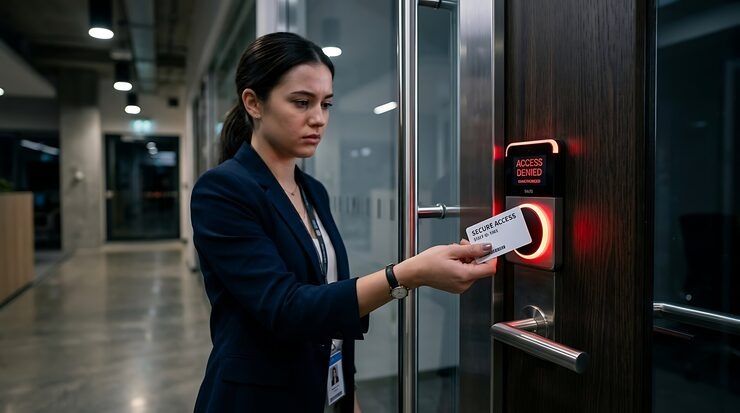
Modern access control methods provide several ways to manage this balance. Understanding how credentials, authentication methods, electronic locks, monitoring systems, and centralized management work together can help organizations evaluate the security architecture of a commercial workplace.
How Modern Access Control Fits Into Office Security
Access control is the part of a security system responsible for regulating entry to physical spaces. Rather than treating the entire building as one protected area, modern systems can divide it into zones with different access requirements.
A main entrance might allow access to a broad employee population, while server rooms, records areas, executive offices, laboratories, or equipment rooms may require additional authorization.
This approach is commonly called role-based access control when permissions are assigned according to a person's role or responsibilities. An employee's credentials can therefore determine not only whether they can enter, but also which doors they are authorized to use.
Commercial office security systems may integrate access control with video surveillance, alarm monitoring, visitor management, and building management platforms. Integration allows security teams to understand events in context rather than treating each system as an isolated component.
Electronic Credentials Replace Traditional Keys
Traditional keys provide a straightforward method of controlling entry, but they can become difficult to manage in larger workplaces. A lost key may require physical replacement, while changing access permissions can involve issuing different keys or changing locks.
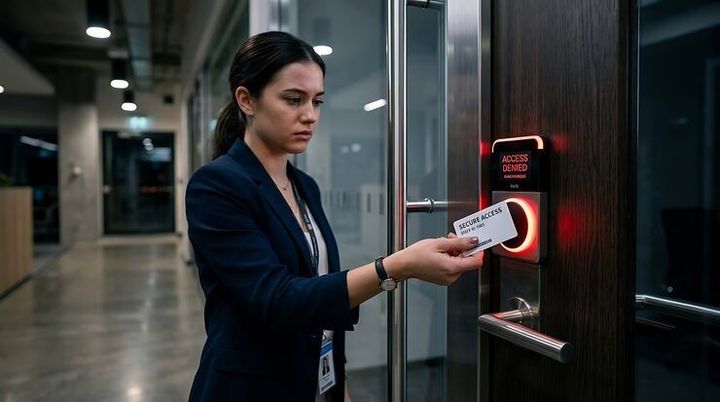
Electronic credentials provide more flexible administration. Common credential types include access cards, key fobs, mobile credentials, and digital identification methods.
A credential is typically associated with a specific user record. Administrators can assign permissions, establish schedules, suspend access, or remove authorization without physically changing every door lock.
This creates an important operational distinction: modern access control manages authorization, not simply identification. Knowing who a person is does not automatically mean that the person should be allowed into every area.
Mobile Access and Digital Credentials
Mobile access has become increasingly relevant as smartphones have become part of everyday workplace authentication. A compatible phone can function as a digital credential, allowing authorized users to interact with an electronic reader.
Depending on the system, mobile credentials may use technologies such as Bluetooth or near-field communication. The security architecture determines how the credential is issued, authenticated, protected, and revoked.
Mobile access can also simplify credential administration because employees may already carry their smartphones throughout the workday. However, organizations still need procedures for lost phones, device changes, employee departures, and situations where a phone cannot be used.
The technology should therefore be considered part of an access-management process rather than simply a replacement for an access card.
Biometric Authentication Adds Another Layer
Biometric access control identifies people through physical or behavioral characteristics. Common approaches include fingerprint recognition, facial recognition, iris recognition, and other biometric technologies.
Biometrics can reduce reliance on physical credentials because the identifying characteristic is associated directly with the individual. This can be particularly useful in areas requiring stronger identity verification.
However, biometric systems introduce additional considerations. Organizations must evaluate accuracy, privacy requirements, data protection, environmental conditions, accessibility, and appropriate fallback methods.
A fingerprint reader, for example, may behave differently depending on sensor quality and physical conditions. Facial recognition can also be affected by camera placement, lighting, and system configuration.
For these reasons, biometric authentication is often most useful when its specific security and operational advantages justify the additional complexity.
Multi-Factor Access for Sensitive Areas
Not every office door requires the same level of authentication. A general entrance and a highly restricted technical room can have very different security requirements.
Multi-factor authentication combines two or more independent authentication factors. These may include something a person has, something they know, or something they are.
For physical access, a system might combine an access credential with a biometric characteristic. This makes unauthorized entry more difficult because possession of one authentication factor alone may not be sufficient.
Multi-factor access is particularly relevant for locations containing sensitive information, specialized equipment, critical infrastructure, or valuable physical assets.
The objective is not necessarily to apply the strongest authentication method to every door. Instead, organizations can match authentication requirements to the consequences associated with unauthorized access.
Cloud-Managed and Networked Access Control
Modern access control systems increasingly use network connectivity to centralize administration. Instead of managing each access point independently, authorized administrators can manage credentials, permissions, schedules, and event records through a centralized interface.
Cloud-managed systems can make remote administration possible, which can be useful for organizations operating across multiple offices. A security administrator may be able to update access permissions without being physically present at the affected location.
Networked systems also create new dependencies. Connectivity, account security, system availability, software maintenance, and cybersecurity controls become relevant parts of the overall physical security architecture.
This means physical access control should be treated as both a building-security system and a technology environment.
Visitor Access Requires a Different Approach
Employees generally have predictable identities and access requirements. Visitors, contractors, interview candidates, delivery personnel, and temporary workers often have shorter or more limited access requirements.
Modern visitor management can create temporary credentials with defined permissions and expiration times. Instead of providing unrestricted access, a visitor may receive authorization only for a particular floor, area, or period.
Reception procedures can also be integrated with access control so that visitor credentials become active after registration and automatically expire later.
This creates a clearer separation between permanent and temporary access while providing an administrative record of authorized visitors.
Designing Access Around Security Zones
Effective commercial office security systems typically begin with an assessment of the building rather than the technology itself.
Security teams can identify areas according to their sensitivity and determine who legitimately needs access. A typical office might contain public areas, employee workspaces, administrative zones, restricted rooms, and highly sensitive technical areas.
Each zone can then receive an appropriate access policy.
For example, a conference area may require ordinary employee authentication, while a network equipment room may require stronger authentication and more restricted permissions.
This zoning approach prevents a common design problem: giving users broader access than their responsibilities actually require.
Audit Trails and Real-Time Monitoring
Access control becomes more useful when organizations can understand what happened after an access event. Modern systems can record events such as successful entries, denied attempts, credential changes, and access schedule modifications.
An audit trail can help security personnel investigate unusual activity and identify patterns that may require attention.
Integration with video surveillance can provide additional context. For example, an access event can potentially be reviewed alongside relevant camera footage, helping security teams determine whether the credential holder and the person physically entering the area appear consistent.
Monitoring should still be configured carefully. Excessive alerts can create alert fatigue, while poorly defined rules may cause important events to be overlooked.
Managing Access Throughout the Employee Lifecycle
Access permissions should change as a person's workplace relationship changes.
When someone joins an organization, their credentials should reflect their actual role. If they transfer departments, their permissions may need to change. When employment ends, unnecessary access should be revoked promptly.
The same principle applies to contractors and temporary personnel.
A well-managed access control environment therefore connects physical security with administrative processes. Identity records, authorization policies, and access credentials need to remain synchronized.
Periodic access reviews can also identify permissions that are no longer necessary, particularly in organizations where responsibilities change frequently.
Choosing the Right Access Control Method
There is no single authentication technology appropriate for every commercial office. The right approach depends on the building layout, user population, security requirements, existing infrastructure, and operational procedures.
Organizations evaluating modern access control can consider:
- Which areas require restricted access?
- How many people need credentials?
- How frequently do permissions change?
- Are multiple office locations involved?
- Which areas require stronger authentication?
- How will visitors and contractors be managed?
- What happens when a credential is lost?
- How will access events be monitored?
- What procedures exist for employee departures?
- How will the system be maintained and secured?
These questions help shift the decision away from selecting a particular device and toward designing an appropriate security architecture.
Frequently Asked Questions
What is the purpose of access control in an office?
Access control determines who is authorized to enter particular areas and under what conditions. Modern systems can manage permissions according to identity, location, schedule, and authentication requirements.
Are mobile credentials suitable for commercial offices?
Mobile credentials can be suitable when the supporting access control system, employee devices, security policies, and operational requirements are compatible. Organizations should also maintain procedures for lost or unavailable devices.
When is biometric access useful?
Biometric authentication can be useful for areas requiring stronger identity verification. Its suitability depends on privacy requirements, system accuracy, environmental conditions, accessibility, and the organization's security objectives.
Why are audit trails important?
Audit trails provide records of access activity and administrative changes. They can support investigations, security reviews, and identification of unusual access patterns.
Should every office door use the same access method?
Not necessarily. A risk-based approach can assign different authentication requirements to different areas. Public, general employee, restricted, and highly sensitive zones may require different controls.
Conclusion
Commercial office security systems increasingly combine electronic credentials, mobile authentication, biometrics, networked management, visitor controls, and monitoring capabilities. The key advantage of modern access control is not simply replacing physical keys, but creating a more adaptable way to manage authorization across different spaces and users.
A well-designed system connects access permissions with actual workplace responsibilities. When authentication, monitoring, visitor management, and lifecycle procedures work together, organizations can establish clearer control over who enters sensitive areas while maintaining practical day-to-day access for authorized personnel.