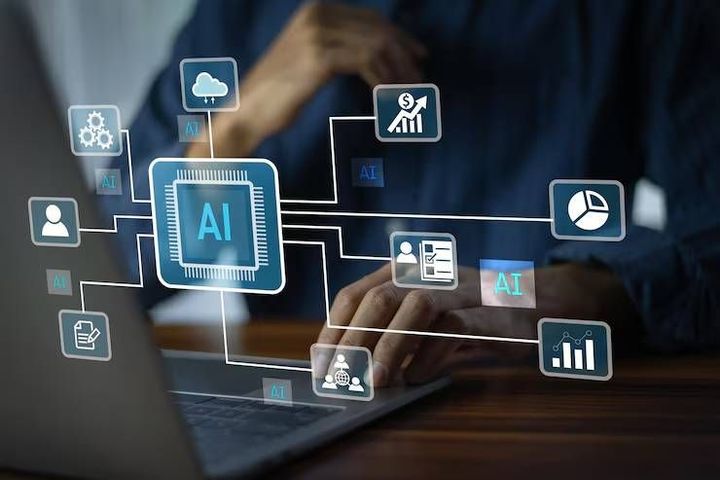
AI Workflow Automation Overview With Intelligent Systems and Business Applications
Artificial intelligence (AI) workflow automation combines intelligent software with automated processes to help organizations complete routine activities, organize information, and support decisions. It brings together workflow management, machine learning, natural language processing, data analysis, and rule-based automation.
These technologies allow digital systems to process information and perform defined tasks with less manual intervention.
Traditional workflow automation follows predetermined instructions. For example, a system might transfer information from one spreadsheet to another whenever a specific condition is met. AI workflow automation can extend this process by interpreting written requests, classifying documents, identifying patterns, and suggesting appropriate next steps based on available information.
The development of AI workflow automation comes from the wider evolution of business computing. Organizations initially automated repetitive calculations and recordkeeping before introducing connected software platforms, robotic process automation, and cloud-based workflow tools. Recent advances in generative AI have expanded these capabilities by allowing systems to work with everyday language and less structured information.
How Intelligent Workflow Systems Operate
An intelligent workflow generally follows a sequence of connected activities. Information enters the system, software evaluates it, predefined rules or AI models determine the next step, and the workflow completes an action or sends the task for human review.
For example, an automated invoice process may identify supplier details, extract invoice amounts, compare records, and route exceptions to an accounts team. The system still depends on accurate source information, suitable permissions, and clearly defined approval rules.
Main Components of AI Workflow Automation
Several technologies contribute to an automated workflow:
Rule-based automation executes actions when specified conditions are met.
Machine learning identifies patterns in historical data and classifies new information.
Natural language processing helps software interpret written requests, messages, and documents.
Robotic process automation performs repetitive actions across compatible digital applications.
Generative AI produces summaries, drafts, and structured responses from supplied information.
Workflow orchestration coordinates tasks, approvals, notifications, and data transfers across different systems.
These components can operate separately or together. The appropriate combination depends on the complexity of the process, the sensitivity of its information, and the level of human oversight required.
Importance
AI workflow automation matters because many organizations manage large volumes of information across disconnected applications. Employees may spend considerable time transferring records, sorting messages, preparing reports, checking documents, and following up on routine requests. Automation can reduce repetitive handling and create more consistent processes when implemented appropriately.
The technology affects businesses of different sizes, educational institutions, healthcare administrators, manufacturers, financial departments, and individual professionals. Its applications extend from organizing customer inquiries to monitoring equipment records and processing internal documents.
Problems Addressed by Workflow Automation
Common operational challenges include duplicated data entry, delayed approvals, inconsistent recordkeeping, and difficulty tracking work across departments. An integrated workflow can move information between connected applications and notify the appropriate person when an action is required.
AI can also help with tasks involving unstructured information. For instance, a document classification system can identify whether an incoming file appears to be an invoice, contract, application, or general correspondence. A human reviewer can then verify the classification before the workflow continues.
Business Applications Across Different Industries
Industry or function | Example application | Human oversight |
|---|---|---|
Manufacturing | Production record analysis and maintenance alerts | Engineers review unusual conditions |
Healthcare administration | Document organization and appointment coordination | Staff verify sensitive records |
Education | Document sorting and routine inquiry management | Educators review important decisions |
Finance and accounting | Invoice extraction and transaction reconciliation | Authorized staff approve exceptions |
Marketing | Content classification and campaign reporting | Teams review accuracy and suitability |
Human resources | Document organization and employee inquiry routing | Staff assess sensitive personnel matters |
Logistics | Shipment updates and exception notifications | Coordinators handle disruptions |
The table illustrates possible applications rather than guaranteed outcomes. Actual performance depends on system integration, data quality, workflow design, and the nature of the task.
Limitations and Operational Risks
Automation does not remove every source of error. AI systems may misinterpret instructions, produce incorrect summaries, or classify unusual documents incorrectly. Poorly designed workflows can also transfer mistakes across multiple applications before anyone notices them.
Organizations therefore need clear approval procedures, audit records, access controls, and methods for correcting errors. Tasks involving personal information, financial decisions, legal obligations, or safety-sensitive operations may require stronger human supervision than routine administrative activities.
Recent Updates
Recent developments in AI workflow automation have focused on combining generative AI with established business software. Rather than automating only a single repetitive action, newer systems can coordinate several connected steps, interpret requests, retrieve information from approved sources, and prepare outputs for review.
The growing use of AI agents is another development. An AI agent can be configured to pursue a defined objective by selecting from approved tools and actions. Unlike a simple rule-based script, it may adjust its approach according to the information it receives. However, its permissions and decision boundaries still need to be defined.
Trends in Intelligent Automation
Several trends are shaping current implementations:
Natural language workflow creation allows users to describe a process in ordinary language, with software translating the description into a proposed workflow.
Document intelligence helps extract and organize information from forms, invoices, reports, and other files.
AI-assisted orchestration connects multiple applications while coordinating task order, exceptions, and approvals.
Human-in-the-loop systems require people to verify important outputs before actions are completed.
Private and controlled AI environments help organizations manage access to sensitive information and restrict how data is processed.
Workflow monitoring provides logs, error alerts, and performance indicators that help teams identify process failures.
Understanding the Difference Between Automation Types
Feature | Traditional automation | AI workflow automation |
|---|---|---|
Main approach | Predetermined rules | Rules combined with AI models |
Input handling | Usually structured information | Structured and some unstructured information |
Decision process | Fixed conditions | Classification, interpretation, or model-assisted decisions |
Predictability | Often high for defined inputs | Can vary with input quality and model behavior |
Error management | Rule checks and exception handling | Rule checks, model evaluation, and human review |
Common example | Moving a record between systems | Extracting details from a document and routing it |
These categories can overlap. Many practical systems combine traditional automation with AI rather than replacing established rules entirely.
Laws or Policies
AI workflow automation is influenced by privacy requirements, data protection rules, cybersecurity obligations, intellectual property considerations, and sector-specific standards. The applicable requirements depend on where an organization operates, where its users are located, what information it processes, and how the automated system is used.
Because this article addresses a global audience, there is no single law that governs every AI workflow. Organizations must identify the requirements relevant to their operations and the people affected by their systems.
Privacy and Data Protection
Automated workflows may process names, contact details, employee records, financial documents, or other sensitive information. Organizations should establish a lawful basis for processing where required, limit data collection to appropriate purposes, control access, and apply suitable retention and deletion procedures.
When an external AI platform processes business documents, the organization should understand how the platform handles submitted information. Data-sharing arrangements, storage locations, access permissions, and retention practices can affect compliance.
AI Governance and Accountability
Some legal frameworks impose additional requirements on specific AI applications, particularly those involving high-impact decisions or sensitive sectors. Depending on the circumstances, these may include risk assessments, documentation, transparency, human oversight, or conformity procedures.
Organizations should also establish internal policies covering acceptable AI use, output verification, model access, and incident reporting. Automated decisions that significantly affect individuals may require additional safeguards under applicable laws.
Security and Responsible Implementation
Security measures can include multifactor authentication, encryption, restricted permissions, activity logs, and regular reviews of connected applications. Workflows should be designed to prevent unauthorized access and reduce the risk of sensitive information being disclosed through prompts, documents, or automated actions.
Organizations should evaluate whether an AI system is suitable for its intended purpose before deployment. Legal and compliance specialists may need to review workflows that involve regulated activities or consequential decisions. These principles provide general information and do not replace professional legal advice.
Tools and Resources
AI workflow automation platforms differ in their supported applications, AI capabilities, integration methods, security controls, and monitoring features. Some focus on connecting business applications, while others specialize in document processing, software development, or enterprise-wide process management.
Common Categories of Automation Tools
Examples of established platforms and technologies include Microsoft Power Automate, Zapier, Make, UiPath, and n8n. Their capabilities vary by product version, configuration, and deployment environment.
Workflow integration platforms connect applications and trigger actions when specified events occur.
Robotic process automation tools handle repetitive interactions with compatible software interfaces.
AI development platforms provide model access, document processing, and tools for building customized workflows.
Business process management systems coordinate complex processes involving multiple departments and approval stages.
Monitoring and analytics tools track workflow execution, failures, processing times, and operational activity.
How to Evaluate an Automation Platform
A practical evaluation should consider the following factors:
Integration compatibility: whether the platform connects to the applications and data sources already in use.
AI accuracy: whether the system handles representative examples correctly and identifies uncertain results.
Security controls: whether permissions, encryption, logging, and data retention meet organizational requirements.
Workflow flexibility: whether the system supports approvals, exceptions, conditional steps, and recovery from errors.
Monitoring capabilities: whether users can investigate failures and determine which actions were completed.
Scalability: whether the system can handle expected workloads without creating excessive operational complexity.
A small workflow can serve as a useful evaluation environment before an organization applies automation to a larger process. Testing should include ordinary cases, unusual inputs, incomplete records, and situations where the system must stop and request human assistance.
FAQs
What is AI workflow automation?
AI workflow automation uses artificial intelligence and workflow software to interpret information, coordinate tasks, and perform defined actions across connected applications. It can combine traditional rules with capabilities such as document classification, text analysis, and content generation.
How does AI workflow automation work in business?
Business AI workflow automation typically receives information, evaluates it using rules or AI models, and directs the next action. For example, an invoice workflow may extract document details, compare them with existing records, and send discrepancies to an authorized employee.
What is the difference between AI automation and robotic process automation?
Robotic process automation generally follows predefined instructions to perform repetitive digital actions. AI automation can additionally interpret text, classify documents, or analyze less structured information. Many business systems combine both approaches.
Which tools are used for AI workflow automation?
Commonly used platforms include Microsoft Power Automate, Zapier, Make, UiPath, and n8n. The appropriate tool depends on the applications involved, workflow complexity, technical requirements, and data protection needs.
Is AI workflow automation suitable for small businesses?
It can be suitable when a business has repetitive processes, clear operating rules, and compatible software. Examples include document organization, internal notifications, and routine data entry. The expected benefits should be assessed against implementation effort, maintenance requirements, and the consequences of possible errors.
Conclusion
AI workflow automation combines intelligent systems, established automation rules, and connected applications to coordinate business activities. Its applications include document processing, reporting, administrative coordination, and operational monitoring across different industries. Successful implementation depends on suitable data, reliable integrations, appropriate security controls, and human oversight for important decisions. Privacy requirements and AI governance policies also shape how these systems should be designed and operated.